
How to Order Microsoft Teams Operator Connect from T-Mobile
PoniżejThe zostałprocess opisanyfor procesordering zamówienia usługithe Microsoft Teams Operator Connect. Dowieszservice sięis gdziedescribed ibelow. jakYou wysłaćwill formularz,learn wwhere którymand wyraziszhow chęćto zakupieniasubmit usługia iform prześleszto namexpress wymaganeyour informacje,interest kiedyin skontaktujepurchasing sięthe zservice tobąand naszprovide sprzedawcaus orazwith jakthe będzierequired wyglądałoinformation, uruchomieniewhen usługiour posales sfinalizowanymrepresentative zamówieniu.will contact you, and how the service will be activated once the order has been finalized.
JeżeliIf nieyou posiadaszdo usługinot have Microsoft Teams iand Microsoft Teams Phone Standard, skorzystajvisit z naszej stronyour Microsoft 365 dlafor firmBusiness - T-Mobile BiznesBusiness PolskaPoland lubwebsite skontaktujor sięcontact zeyour swoimaccount opiekunem handlowym.manager.
AbyTo rozpocząćstart proces,the należyprocess, wysłaćsubmit formularzthe poprzezform through the Centrum administracyjnym aplikacji Microsoft Teams.Teams admin center.
Teams Adminadmin Centercenter
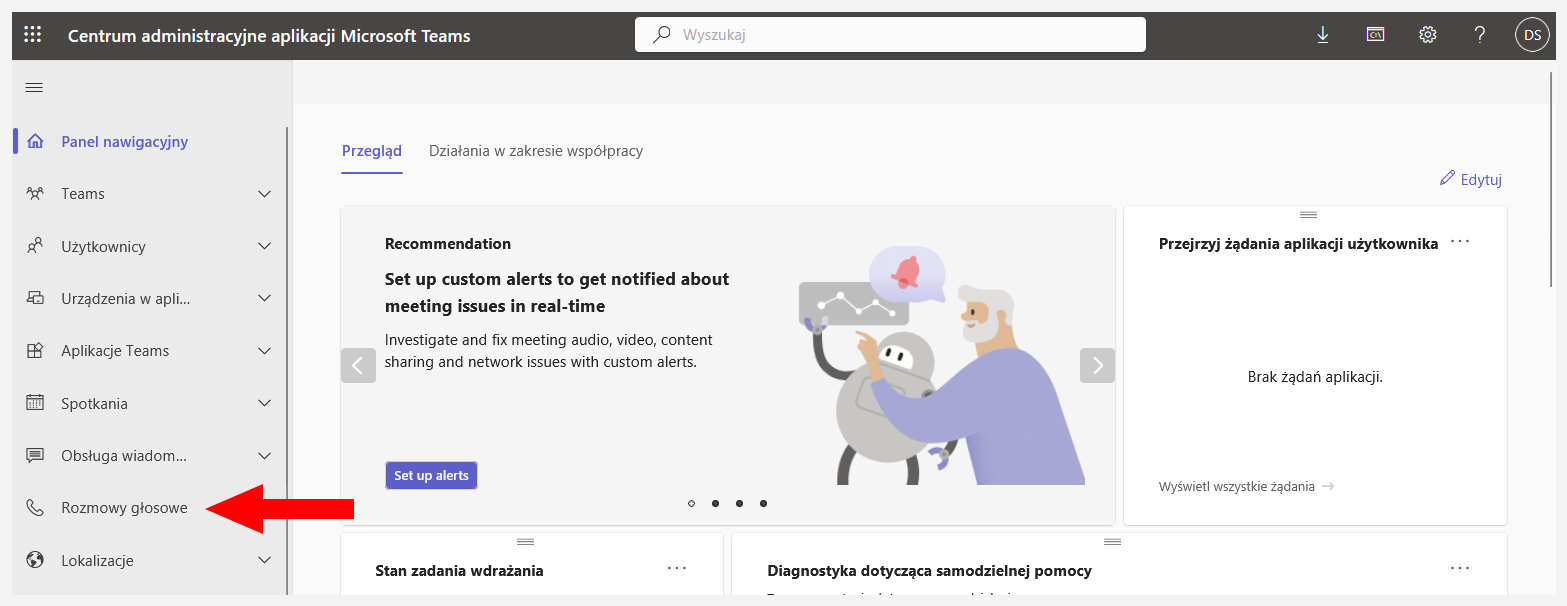
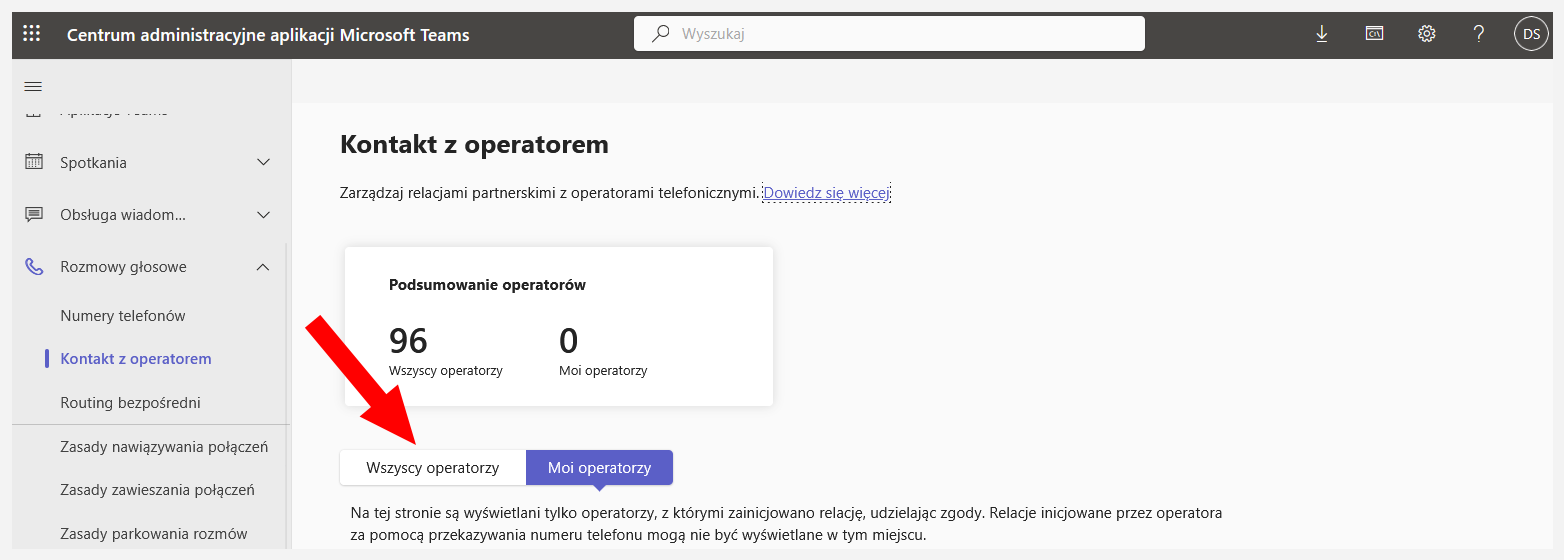
ZalogujSignsięinkontemwithzanprawamiadministratoradministratoraaccountwto theCentrum administracyjnym aplikacjiMicrosoft Teams admin center (TeamsAdminadminCenter)center): https://admin.teams.microsoft.com.WInmenuthepoleft-handlewejmenu,stroniegoprzejdź do zakładkitoRozmowy GłosoweVoice(Voice).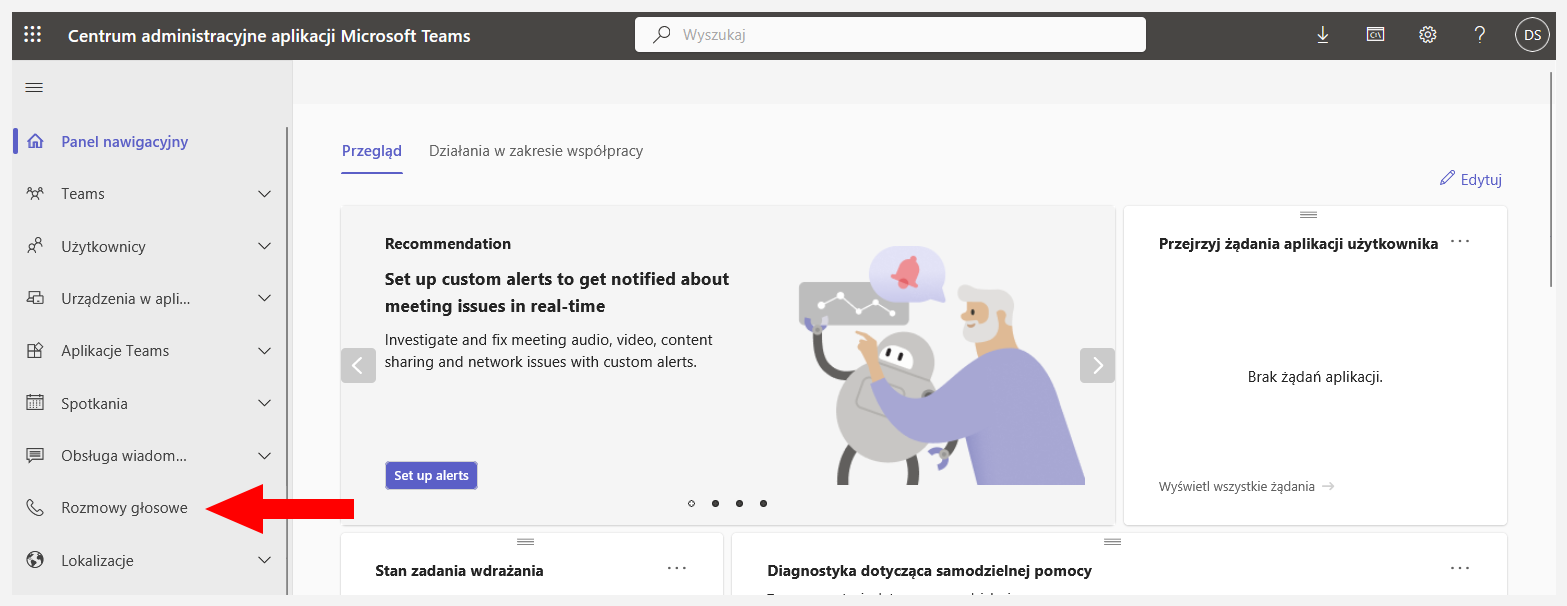
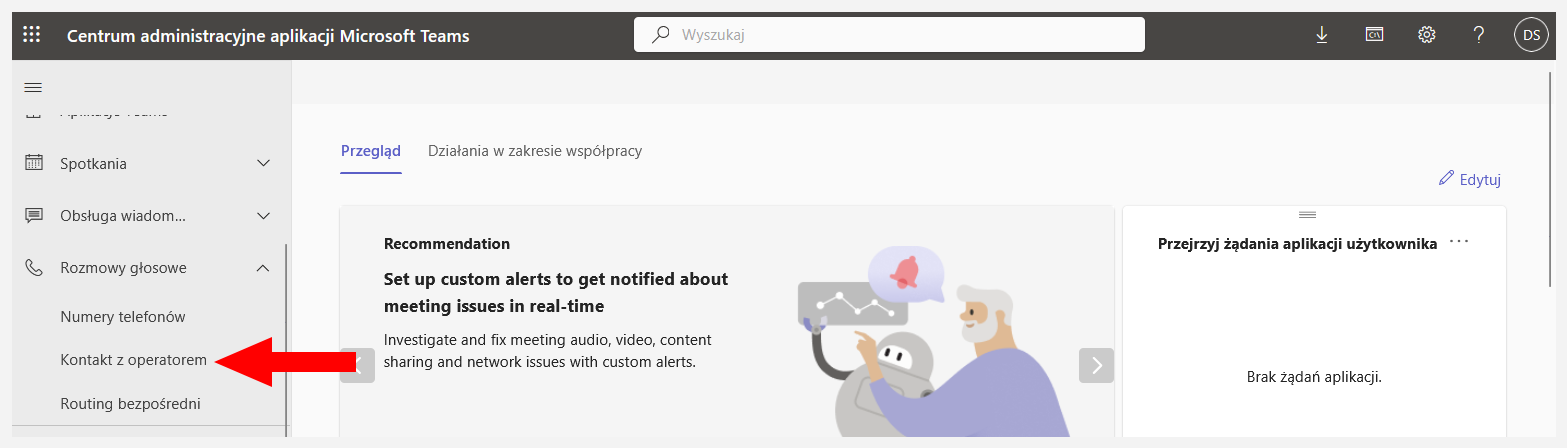
NastępnieThenwybierzselectKontakt z operatorem(OperatorConnect)Connect.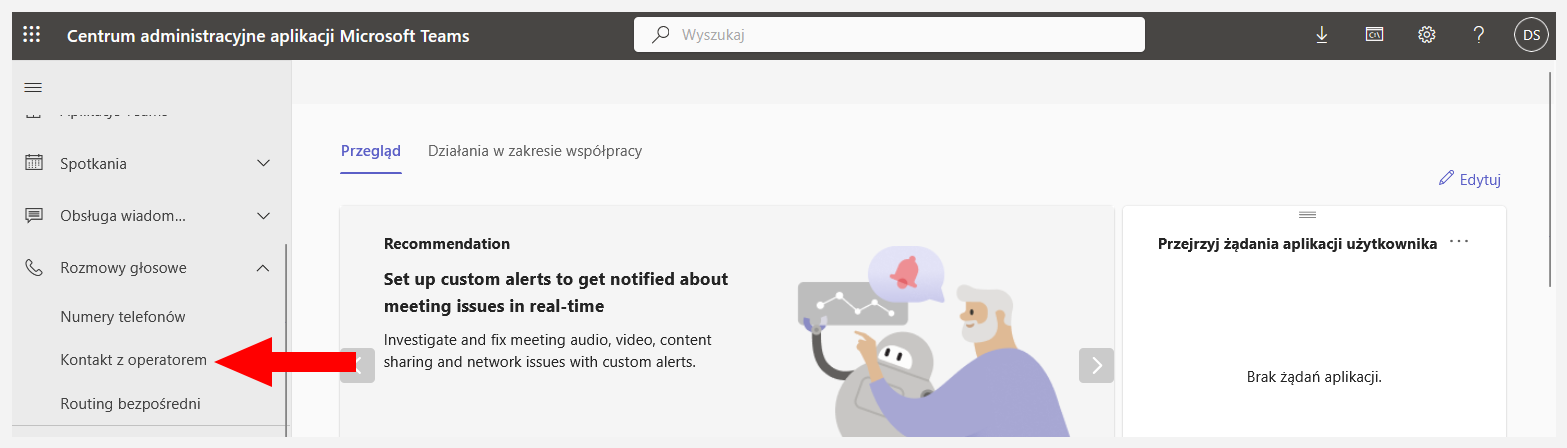
WybierzSelectzakładkętheWszyscyAlloperatorzyoperators(All operators).tab.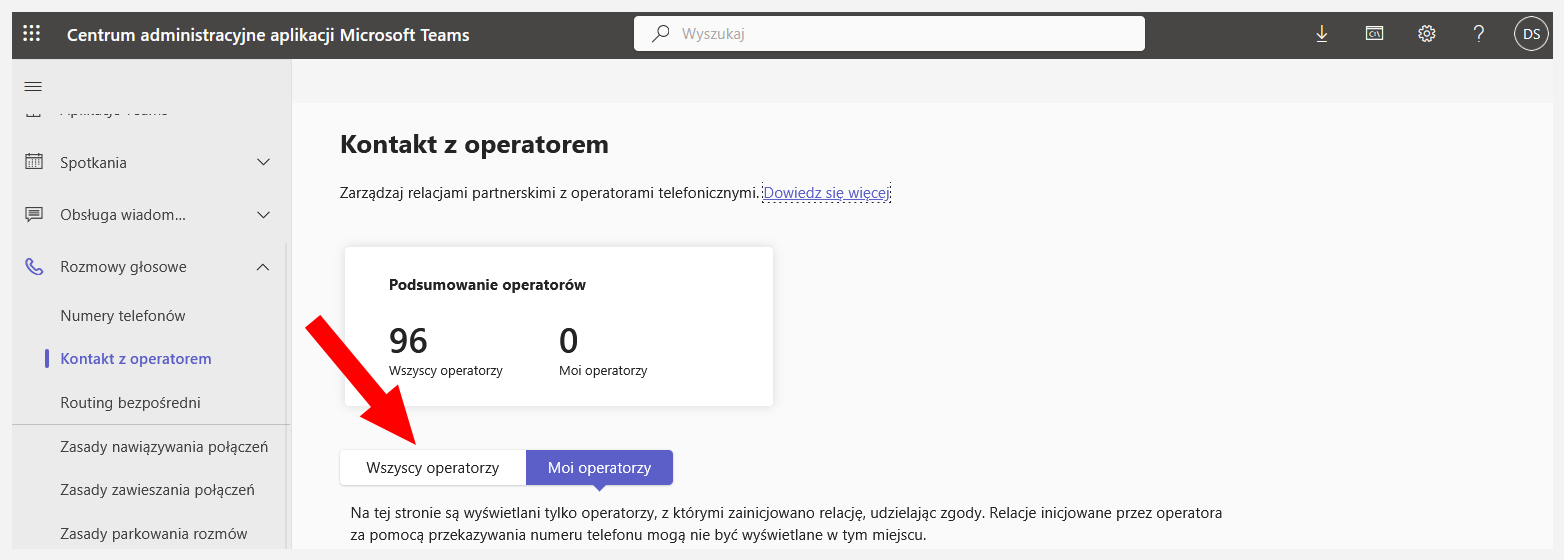
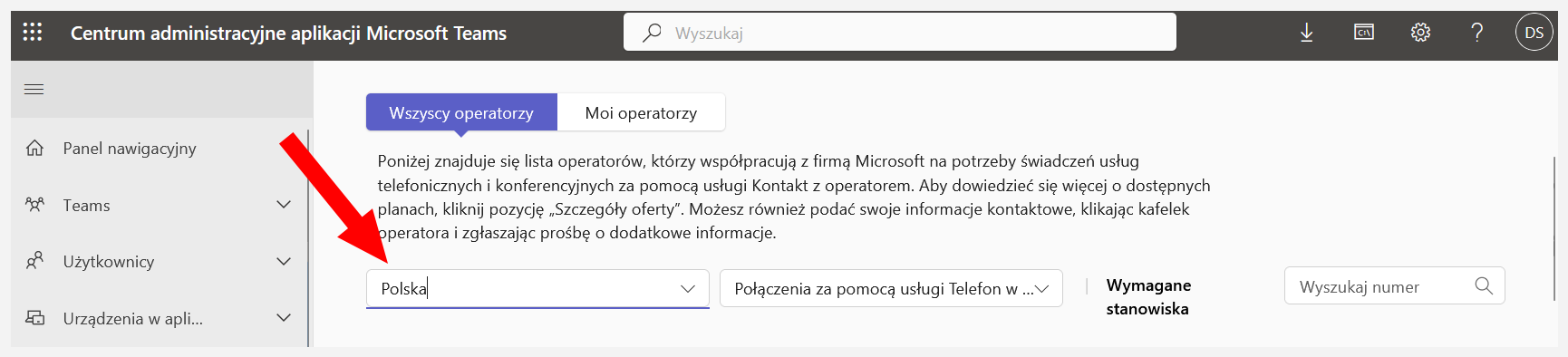
WyświetlDisplayoperatorówthedostępnychoperatorswavailable inPolsce.Poland.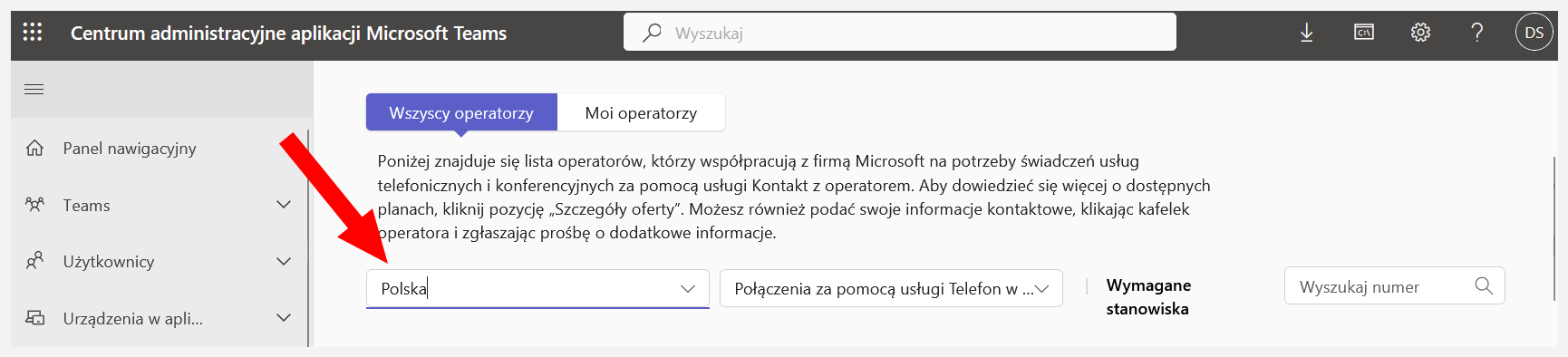
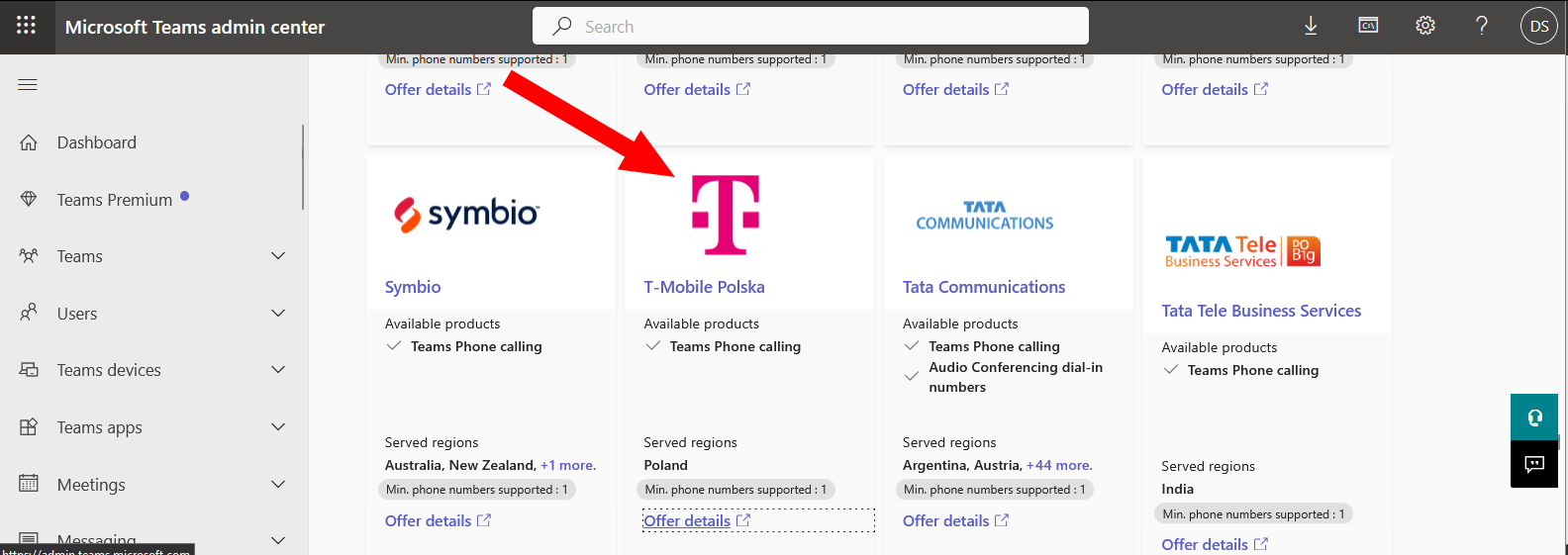
Znajdź na liście operatówFind T-Mobile Polskaiinnatheniegolistnaciśnij.of operators and select it.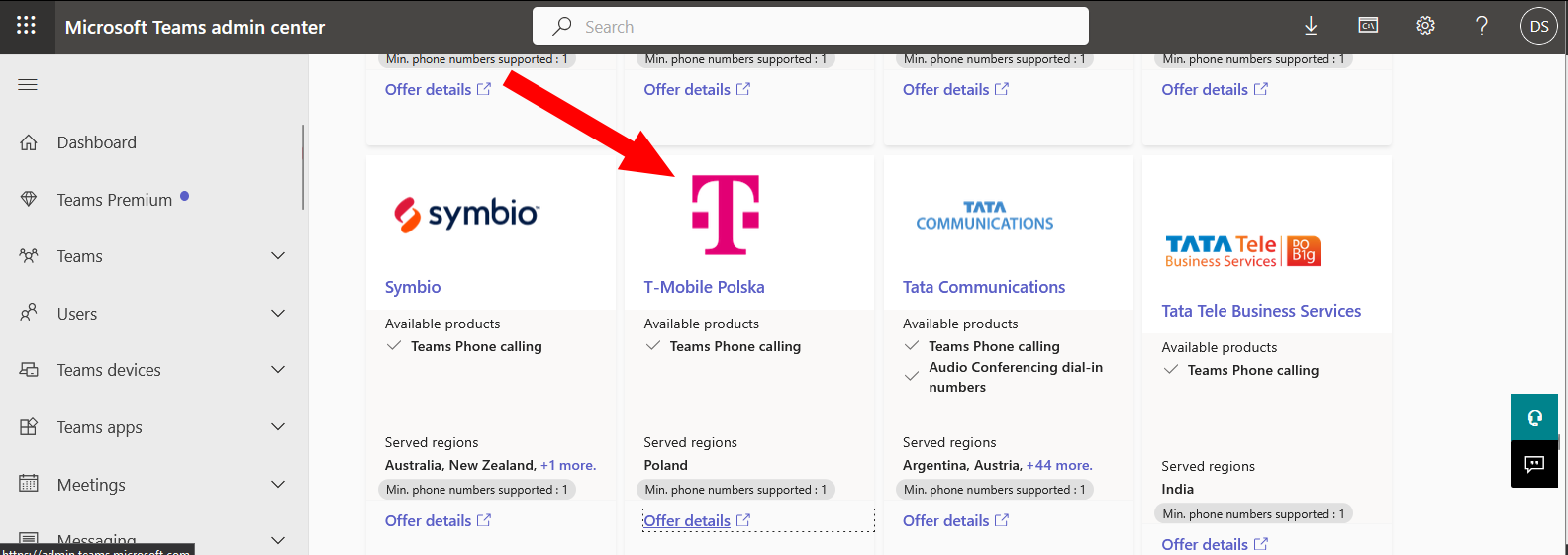
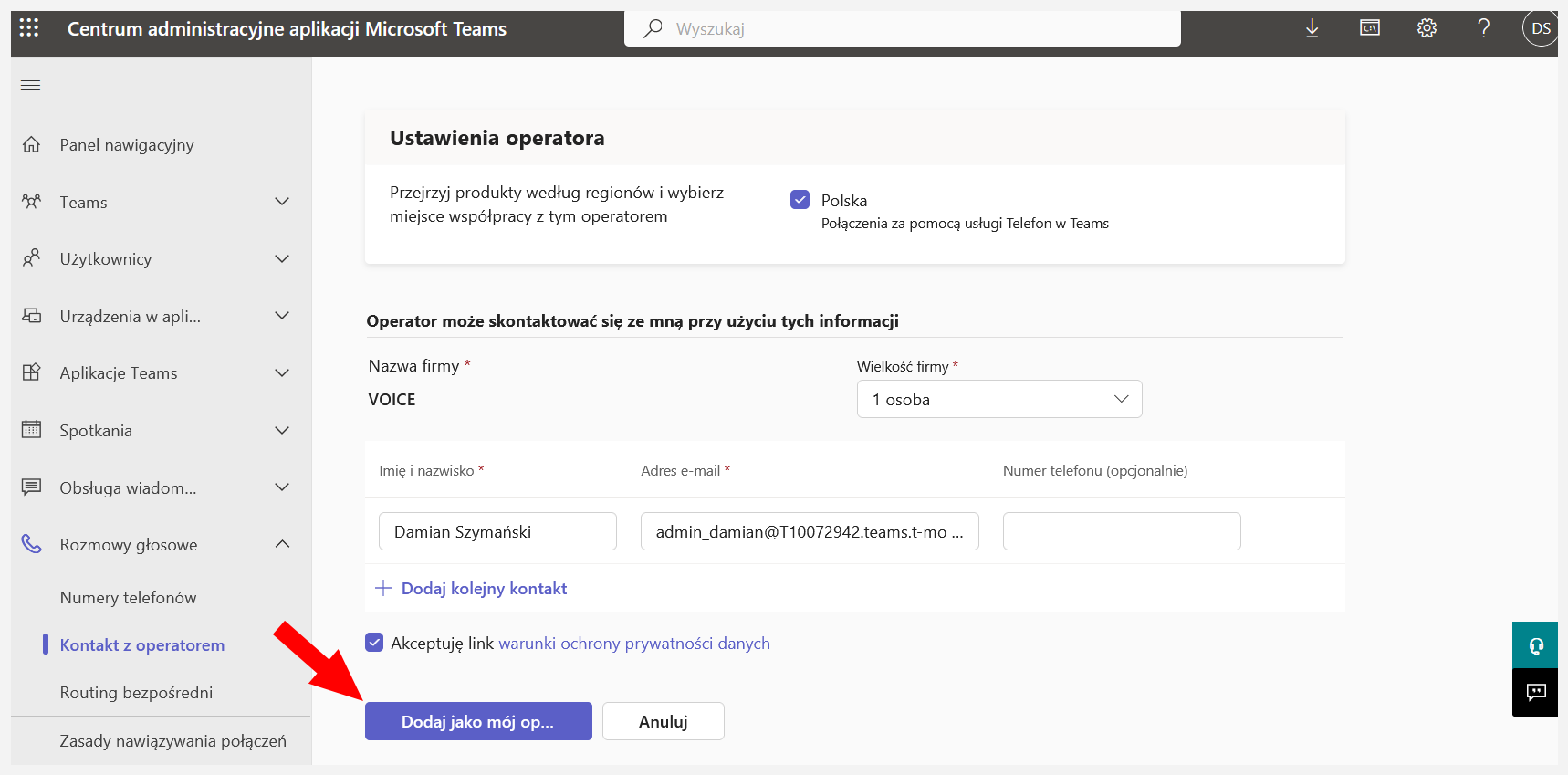
UzupełnijCompletedanethenainformationstronie:on the page:wybierzselectkrajtheświadczeniacountryusług,where the service will be provided,wybierzselectrozmiaryourorganizacji,organization size,uzupełnijcompleteformularzthekontaktowy,contact form,zaakceptujacceptustawieniatheprywatności.privacy settings.
NastępnieThenwyślijsubmitformularzthenaciskającform by selectingDodaj jako mojego operatora(Add as myoperator)operator.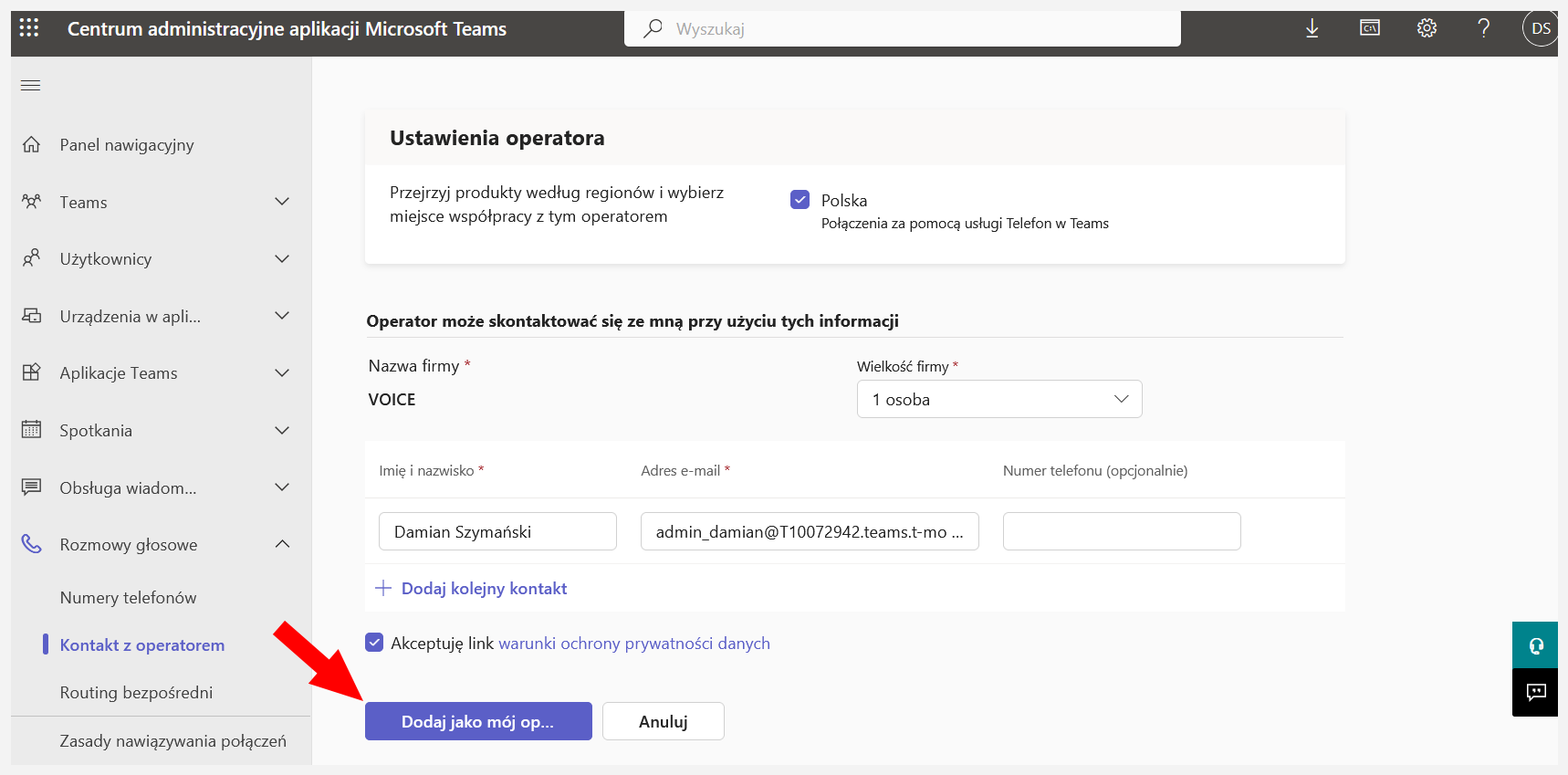
PoAfterprzesłaniutheformularzaformzostaniehaswysłanybeene-mailsubmitted,zwrotnyyouzwillpotwierdzeniemreceiveprzyjęciaazgłoszenia.confirmationNastępnieemailoczekujacknowledgingkontaktureceiptzeofstronyyour request. Then wait for T-Mobile.to contact you.
KontaktContact zwith T-Mobile
PoAfter przesłaniuthe formularzacontact kontaktowegoform przezhas been submitted through the Centrum administracyjnym aplikacji Microsoft Teams,Teams admin center, zour osobąsales podanąrepresentative wwill formularzucontact skontaktujethe sięperson naszspecified sprzedawca.in Wtedythe zostanieform. przedstawionaYou Tobiewill naszathen oferta,receive aour następnieoffer, zostanąafter ustalonewhich szczegółythe umowydetails iof konfiguracjithe usługi.agreement Najważniejszymiand elementamiservice tegoconfiguration procesuwill będą:be determined. The key elements of this process will include:
PrzydzielenieAssigningnumerówphonetelefonicznychnumberszfrompulithe T-Mobilelubnumberprzeniesieniepoolichorzportinginnejthemusługi,fromlubanotherodserviceinnegooroperatora.operator.WybórSelectingtaryfyadotyczącejtariffpołączeńfortelefonicznych.phone calls.UstalenieDeterminingterminutheuruchomieniaserviceusługi,activationktórydate,zależywhichoddependsilościonnumerówtheoraznumbertego,ofczyphonesąnumbersprzenoszoneandodwhetherinnegotheyoperatora.are being ported from another operator.
KonfiguracjaService usługiconfiguration
AktywacjaThe usługiservice odbywais sięactivated wautomatically. sposóbThe automatyczny.customer Poonly stronieneeds klientato pozostajeassign przypisaniephone numerównumbers telefonówto douser kontaccounts użytkowników w aplikacjiin Microsoft Teams. ProcesThis tenprocess odbywais sięcompleted zin poziomuthe Centrum administracyjnego aplikacji Microsoft Teams admin center (Teams Adminadmin Center)center) iand zostałis opisanydescribed win instrukcji:the following guide: PrzypisanieAssigning numerówphone telefonicznychnumbers do kont użytkownikówto Microsoft Teams user accounts.
Aby skonfigurować wirtualną centralę telefoniczną Unified Communication, dostępną razem z usługą Microsoft Teams Operator Connect skorzystaj z instrukcji: Instrukcje Unified Communications.