Changing the number assigned to a user in the Numer w Teams service
Disconnecting a number and assigning it to a new user in the Numer w Teams service.
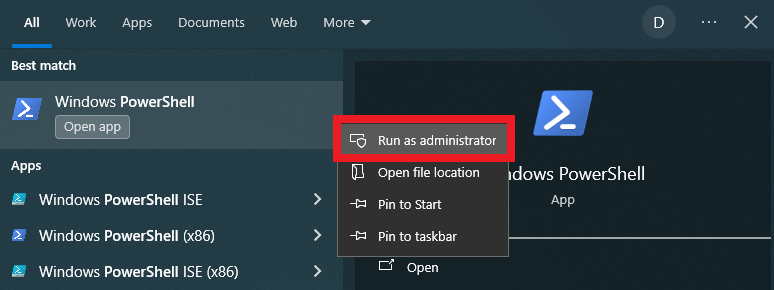
2. To make sure that you will be able to execute the commands described in the following sections, check the version of the PowerShell. Open PowerShell and enter one of the two following commands.
$PSVersionTable.PSVersion
$host.Version.

Aplikacja PowerShell powinna mieć wersję 5.1 (Major: 5, Minor: 1) lub wyższą. Jeżeli jest niższa, zaktualizuj ją zgodnie z instrukcją z poniższej strony:
3. Installation of the MicrosoftTeams module is required to correctly configure the service. One by one, copy the following commands highlighted in blue, paste them into PowerShell and execute by pressing Enter.
Set-ExecutionPolicy RemoteSigned

Confirm the execution of the above command by selecting Y and pressing enter. Then execute the following commands.
Import-Module -Name MicrosoftTeams

Set-ExecutionPolicy Restricted

Confirm the execution of the above command by selecting Y and pressing enter.
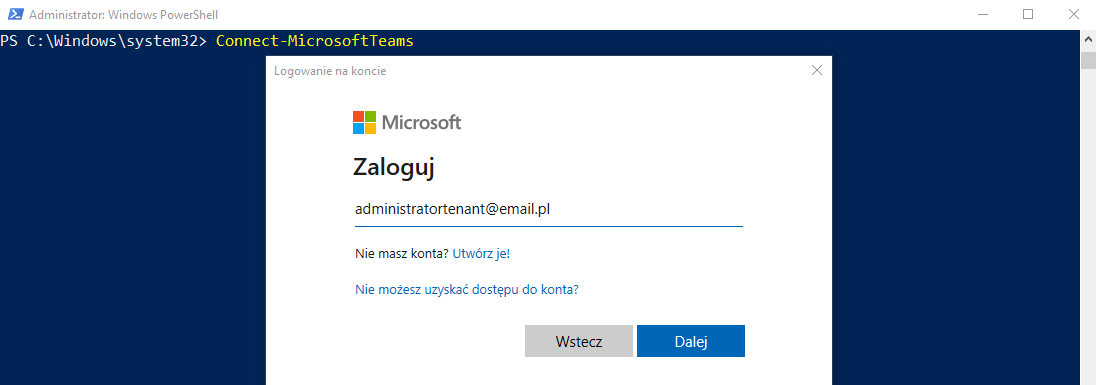
4. Log in with a user account with administrator privileges in the tenant. The account with administrator privileges is the one used to create the new domain in the Adding a New Domain to the Microsoft 365 Administration Center instructions. Start with following command.
Connect-MicrosoftTeams
Enter e-mail address in the login window.
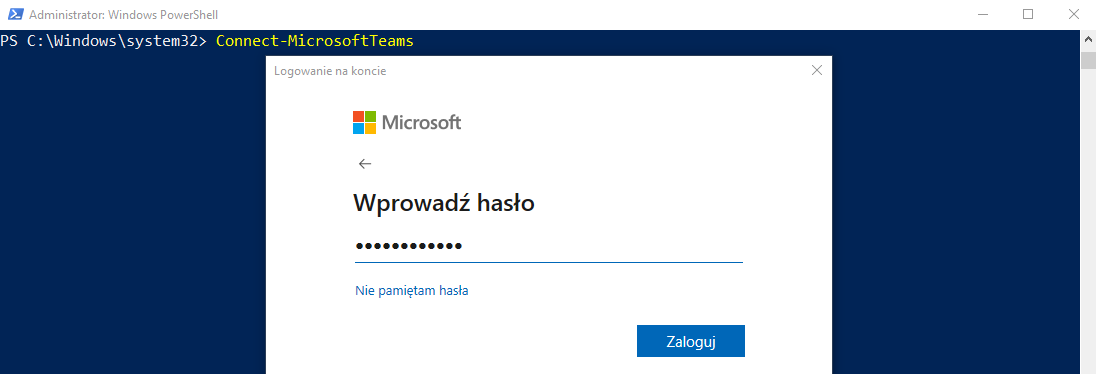
Next, enter your password.
Once you have successfully logged in, you will see your email address and tenant details.

5. Disconnect the number and the user by executing the following command. Change uzytkownik@domenafirmowa.pl to the username of the user who should be disconnected from the phone number provided by T-Mobile, which you should insert in place of +48000000000.
Remove-CsPhoneNumberAssignment -Identity uzytkownik@domenafirmowa.pl -PhoneNumber +48000000000 -PhoneNumberType DirectRouting
6. The final step in configuring Numer w Teams service is connecting users to the phone numbers provided by T-Mobile.
Run the following command, changing uzytkownik@domenafirmowa.pl to the username of the user who should be assigned the phone number provided by T-Mobile, which you should insert in place of +48000000000.
Set-CsPhoneNumberAssignment -Identity uzytkownik@domenafirmowa.pl -PhoneNumber +48000000000 -PhoneNumberType DirectRouting
Once the configuration is complete, it is possible to make phone calls in the MS Teams application. To do this, log into the account of a user to whom you have assigned a phone number and who has a license with the Teams Phone add-on.